kangsuper
Tampilkan postingan dengan label sayangnya. Tampilkan semua postingan

Sabtu, 18 Mei 2019

Firmware & Flash BRAND E7

Brand     : Brand
ProdName  : E7
ProdModel : E7
Device    : E7
AndroidVer: 6.0
MTKxCPU   : MT6737M
MTKxPRJ   : E7_Brand-20160914
pass:  e-7brandok
Bahan :

1. Download Firmware Full
2. Download SP-Flash-Tool Wajib pake versi ini Download Disini
3. Driver bila belum punya instal dulu driver mtknya
4.  Untuk tutorial flash via Flash tool bisa dilihat DISINI
5. Konfirmasi pass sms/wa only 0822-1163-1565 (nomor ini hanya buat konfirmasi, BUKAN YANG DI ISI) , Mahar pulsa 20k


Cara Flash BRAND E7 via Flash Tool


Log Read Firmware  BRAND E7
Operation : Read Flash [ v1.58 ]

1. Power Off Phone , Remove battery , Insert back
2. Insert USB cable. In some cases require hold BootKey

Wait for phone...
Phone found! [ 6 ]
Sync...
Inital Boot Ok!
BB_CPU_PID : 6737
BB_CPU_NME : [MediaTek] MT6737M|MT6737_S00
BB_CPU_EXT : 0xCB00 , 0x8A00 , 0x0000
Processing BROM stage
Settings for BROM configured!
SecCfgVal : 0x00000000
BromVer   : 0x00FF
BLVersion : 0x0001
PreLoader : Active [ Boot with PL ]
BootLdrSS : NORMAL with PRELOADER
Processing DA stage
DA Select done, will use MTK_AllInOne_DA_v5.1624.16.07
Sending and initialize DA ...
Running DA ver.4.2 on BBID : 0x93
NAND Flash : NOT INSTALLED
eMMC Flash : 4E030188647261435EDF37202FD04107
Initialize Memory ...
DRAM already initialized by Preloader
DAgent sent , init HW now
eMMC FlashIC initialized
[eMMC] : FLASH_VEN : 0x88 , OEM : 0103
[eMMC] : FLASH_INF : [FORESEE] , draC
[eMMC] : FLASH_CID : 8801034E436172642037DF5E0741732F
[eMMC] : FLASH_BRT : 0x00400000 , 0x00400000 , 0x00400000
[eMMC] : FLASH_LEN : 0x000000039D000000
[eMMC] : FLASH_UCP : 14800 MiB [eMMC 16 GiB]
DEV RID    : 0xFCC4CFBDF5ADD12D463C9D8710CD655B
INT RAM    : 0x00020000
EXT RAM    : 0x40000000 [1 GiB]
BOOT TYPE  : EMMC_FLASH_BOOT
SOC VERIFY : C1
Boot Ok!

Reading Flash Content now ...

xGPT : Normalize settings Ok!

Brand     : Brand
ProdName  : E7
ProdModel : E7
Device    : E7
AndroidVer: 6.0
MTKxCPU   : MT6737M
MTKxPRJ   : E7_Brand-20160914

[Read Ok] : preloader_hct6737m_65_m0.bin
[Read Ok] : lk.bin
[Read Ok] : boot.img
[Read Ok] : recovery.img
[Read Ok] : logo.bin
[Read Ok] : secro.img
[Read Ok] : tz1.img
[Read Ok] : tz2.img
[Read Ok] : system.img
[Read Ok] : cache.img
[Read Ok] : userdata.img

[ScatCFG] : MT6737M / V1.1.2 / hct6737m_65_m0 / EMMC
Android Info saved
MAUI Meta DB saved
HWConfig Info saved
FW Size : 2265 MiB
Scatter saved to : D:\ANDROID LAIN2\BRAND\E7\MT6737M__Brand__E7__E7__6.0__E7_Brand-20160914\

All done!

Senin, 13 Mei 2019

Flash & Firmware iCherry C75


Brand     : iCherry
ProdName  : a831_324_v1_u_ys_s029yu_icherry
ProdModel : C75
Device    : a831_324_v1_u_ys_s029yu_icherry
AndroidVer: 4.4.2
MTKxCPU   : MT6572
MTKxPRJ   : T831A_V1_U_YS_S029YU_ICHERRY_V1.0
pass: icerry-c75ok
Bahan :

1. Download Firmware Full
2. Download SP-Flash-Tool Wajib pake versi ini Download Disini
3. Driver bila belum punya instal dulu driver mtknya
4.  Untuk tutorial flash via Flash tool bisa dilihat DISINI
5. Konfirmasi pass sms/wa only 0822-1163-1565 (nomor ini hanya buat konfirmasi, BUKAN YANG DI ISI) , Mahar pulsa 20k


  Cara Flash iCherry C75 via Flash Tool


Log Read Firmware iCherry C75
Operation : Read Flash [ v1.46 ]

1. Power Off Phone , Remove battery , Insert back
2. Insert USB cable. In some cases require hold BootKey

Wait for phone...
Phone found! [ 14 ]
Sync...
Inital Boot Ok!
BB_CPU_PID : 6572
BB_CPU_NME : [MediaTek] MT6572_S00
BB_CPU_EXT : 0xCA01 , 0x8A00 , 0x0000
Processing BROM stage
Settings for BROM configured!
SecCfgVal : 0x00000000
BromVer   : 0x00FF
BLVersion : 0x0001
PreLoader : Active [ Boot with PL ]
BootLdrSS : NORMAL with SPRELOADER
Processing DA stage
DA Select done, will use MTK_AllInOne_DA_v5.1612.01.01
Sending and initialize DA ...
Running DA ver.4.2 on BBID : 0x88
NAND Flash : NOT INSTALLED
eMMC Flash : 90014A2058494E594816A1BDB6AC105F
Initialize Memory ...
DRAM already initialized by Preloader
eMMC FlashIC initialized
[eMMC] : FLASH_VEN : 0x90 , OEM : 014A
[eMMC] : FLASH_INF : [HYNIX] , HYNIX
[eMMC] : FLASH_CID : 90014A2058494E594816A1BDB6AC105F
[eMMC] : FLASH_BRT : 0x00200000 , 0x00200000 , 0x00200000
[eMMC] : FLASH_LEN : 0x00000000E7000000
[eMMC] : FLASH_UCP : 3696 MiB [eMMC 4 GiB]
DEV RID    : B5CB06EC8DBBD3739FD0D0106894301A
INT RAM    : 0x00020000
EXT RAM    : 0x20000000
BOOT TYPE  : EMMC_FLASH_BOOT
SOC VERIFY : C1
Boot Ok!

Reading Flash Content now ...

Brand     : iCherry
ProdName  : a831_324_v1_u_ys_s029yu_icherry
ProdModel : C75
Device    : a831_324_v1_u_ys_s029yu_icherry
AndroidVer: 4.4.2
MTKxCPU   : MT6572
MTKxPRJ   : T831A_V1_U_YS_S029YU_ICHERRY_V1.0

[Read Ok] : preloader_a831_324_v1_u_ys_s029yu_icherry.bin
[Read Ok] : MBR
[Read Ok] : EBR1
[Read Ok] : lk.bin
[Read Ok] : boot.img
[Read Ok] : recovery.img
[Read Ok] : secro.img
[Read Ok] : logo.bin
[Read Ok] : system.img
[Make Ok] : cache.img
[Make Ok] : userdata.img

[ScatCFG] : MT6572 / V1.1.1 / a831_324_v1_u_ys_s029yu_icherry / EMMC
Android Info saved
MAUI Meta DB saved
HWConfig Info saved
FW Size : 1064 MiB
Scatter saved to : D:\ANDROID LAIN2\icherry\c75\MT6572__iCherry__C75__a831_324_v1_u_ys_s029yu_icherry__4.4.2__T831A_V1_U_YS_S029YU_ICHERRY_V1.0\


Kamis, 09 Mei 2019

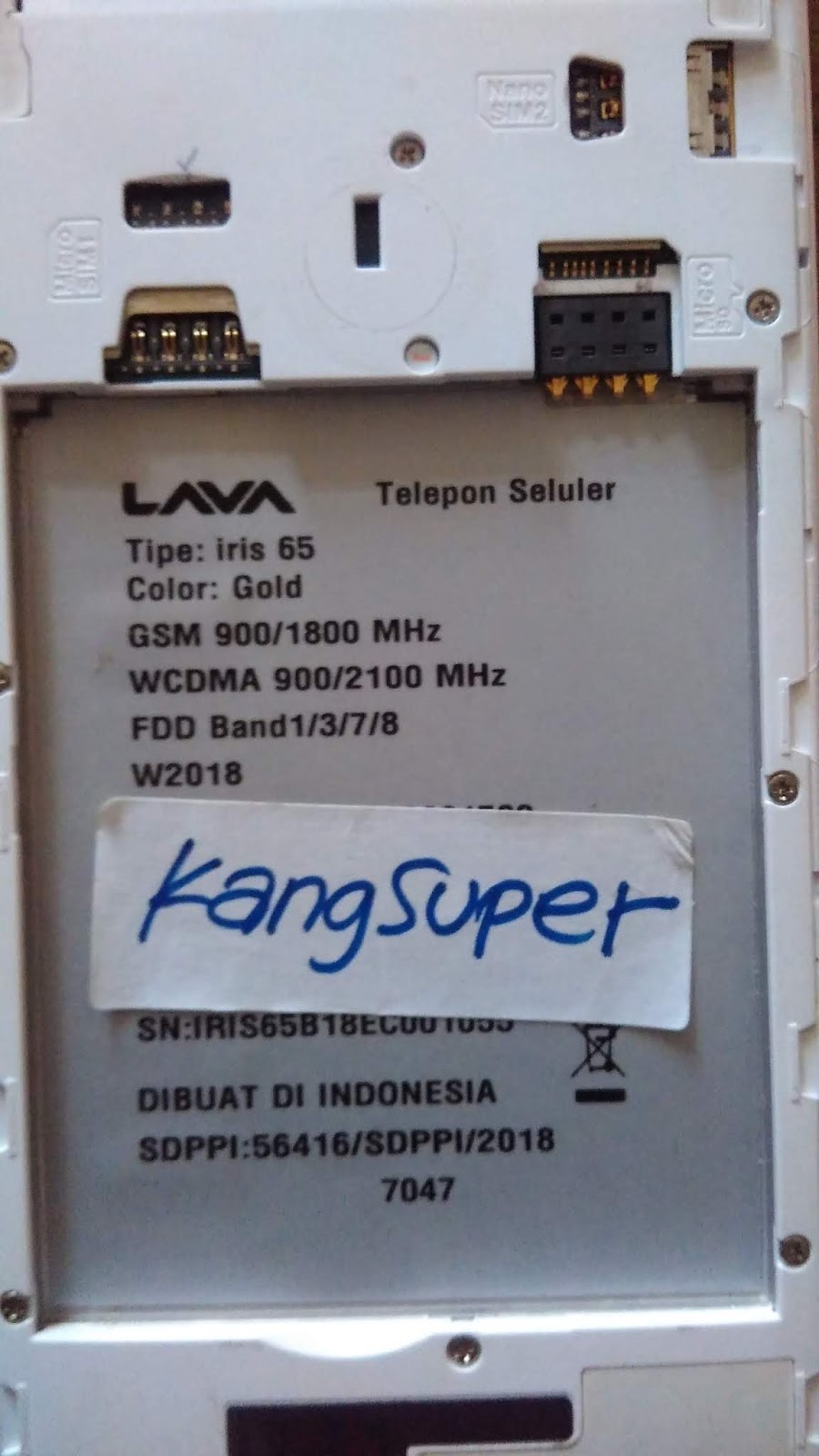
Flash & Firmware Lava Iris 65


Patch Level    : O11019
Display ID     : LAVA_iris65_1_8_S103_IDR_18F08
Ver. CodeName  : REL
Ver. Release   : 8.1.0
Sec. Patch     : 2018-02-05
Build Time     : 1528390260
Product Model  : iris65
Product Brand  : LAVA
Product Name   : iris65
Product Device : iris65
Product Manfct : LAVA
Product Info   : iris65
Board Platform : mt6739

pass : 65-irisok


1. Download Firmware Full

2. Download SP-Flash-Tool Wajib pake versi ini Download Disini 51804
3. Driver bila belum punya instal dulu driver mtknya
4.  Untuk tutorial flash via Flash tool bisa dilihat DISINI
5. Konfirmasi pass sms/wa only 0822-1163-1565 (nomor ini hanya buat konfirmasi, BUKAN YANG DI ISI) , Mahar pulsa 20k

  • Firmware Lava Iris 65 versi Lain Download Di bawah
     
Cara Flash  Lava Iris 65 via Flash Tool


Log Read
Created by Infinity-Box (c) 2018
Chinese Miracle II : MediaTek Service Module
Device Info file   : _Android_info.txt

Patch Level    : O11019
Display ID     : LAVA_iris65_1_8_S103_IDR_18F08
Ver. CodeName  : REL
Ver. Release   : 8.1.0
Sec. Patch     : 2018-02-05
Build Time     : 1528390260
Product Model  : iris65
Product Brand  : LAVA
Product Name   : iris65
Product Device : iris65
Product Manfct : LAVA
Product Info   : iris65
Board Platform : mt6739

Operation : Write Flash [ v2.00 r2 ]

Repartition  : Disabled
Flash Verify : Disabled
Pre-Erase    : Enabled
Verify HW/SW : Enabled
XData Backup : Disabled

Files :17
[FL] : Set : recovery.img
[FL] : Set : md1rom.img
[FL] : Set : md1dsp.img
[FL] : Set : spmfw.img
[FL] : Set : mcupmfw.img
[FL] : Set : lk.bin
[FL] : Set : lk.bin
[FL] : Set : loader_ext.img
[FL] : Set : loader_ext.img
[FL] : Set : boot.img
[FL] : Set : logo.bin
[FL] : Set : odmdtbo.img
[FL] : Set : tz.img
[FL] : Set : tz.img
[FL] : Set : system.img
[FL] : Set : cache.img
[FL] : Set : userdata.img

[FL] : Total size : 0x45A5B384 [ 1.09 GB ]

Operation : Write Security [ v2.00 r2 ]

1. Make sure device is powered off. Power off, if need. Wait 20 seconds after
2. Insert USB cable in phone
Waiting for device connection ...

PTFN : PreLoader USB VCOM Port (COM5)
MODE : PRELOADER PORT
PORT : 5
Waiting BOOT ack ...
PRELOADER : ACK confirmed!
BROM : Init BROM
BROM init passed!
     CHIP : MT6739 , SBID : 0x8A00 , HWVR : 0xCA00 , SWVR : 0x0000
     TYPE : MODERN RAPHAEL
BROM : SecLevel : 0x00000000
BROM : SecMode  : PLAIN [+PRL]
BROM : PRELOADER PORT
AGENT : Look for suitable BootChain in DA ...
AGENT : MTK_AllInOne_DA.bin
AGENT : Found MT6739
AGENT : MTK_DOWNLOAD_AGENT
     BROM : Sending 1st DA ...
BROM : DA sent
BROM :Transfer control to DA ...
     DA : AGENT started!
DA : SYNC
     DA : MODE : PRELOADER
DA : EXT_RAM initialized!
DA : BOOT to 2nd DA ...
DA : 2ND stage confirmed!
DA : SYNC with DA passed!
DA : Receiving HW info

        SRAM: 0x00020000 [ 128.00 KB ]
        DRAM: 0x40000000 [ 1.00 GB ]

        EMMC: 150100464E36324D42038E0E9A2DB467
        EMMC: VEN : SAMSUNG | OEM : 01 | DEV : FN62MB
        EMMC:
              BOOT1  : 0x00400000 [ 4.00 MB ]
              BOOT2  : 0x00400000 [ 4.00 MB ]
              RPMB   : 0x00080000 [ 512.00 KB ]
              USER   : 0x1D2000000 [ 7.28 GB ]

        CHIP : MT6739 , SBID : 0x8A00 , HWVR : 0xCA00 , SWVR : 0x0000 , EVOL : 0x0000

        RNID : E4C702329E5BA1FB78E42E87D60F534F

DA : USB : HIGH-SPEED

Boot done!


Sabtu, 27 April 2019

Flash & Firmware Bellphone BP 268


Brand     : alps
ProdName  : full_keytak6580_weg_l
ProdModel : BP268
Device    : keytak6580_weg_l
AndroidVer: 6.0
MTKxCPU   : MT6580
MTKxPRJ   : ALPS.L1.MP6.V2_KEYTAK6580.WEG.L_P24

Bahan :

1. Download Firmware Full
2. Download SP-Flash-Tool Wajib pake versi ini Download Disini
3. Driver bila belum punya instal dulu driver mtknya
4.  Untuk tutorial flash via Flash tool bisa dilihat DISINI
5. Konfirmasi pass sms/wa only 0822-1163-1565 (nomor ini hanya buat konfirmasi, BUKAN YANG DI ISI) , Mahar pulsa 20k

  • Bellphone BP268 MTK versi Lain Download Di bawah
  1. MT6580__alps__BP268__er241c_m05_20170829_2017
  2.  
Cara Flash Bellphone BP628 via Flash Tool
Log Read Firmware BellPhone BP268
Operation : Read Flash [ v1.58 ]

1. Power Off Phone , Remove battery , Insert back
2. Insert USB cable. In some cases require hold BootKey

Wait for phone...
Phone found! [ 4 ]
Sync...
Inital Boot Ok!
BB_CPU_PID : 6580
BB_CPU_NME : [MediaTek] MT6580_S00
BB_CPU_EXT : 0xCA00 , 0x8A00 , 0x0000
Processing BROM stage
Settings for BROM configured!
SecCfgVal : 0x00000000
BromVer   : 0x00FF
BLVersion : 0x0001
PreLoader : Active [ Boot with PL ]
BootLdrSS : NORMAL with PRELOADER
Processing DA stage
DA Select done, will use MTK_AllInOne_DA_v5.1624.16.07
Sending and initialize DA ...
Running DA ver.4.2 on BBID : 0x94
NAND Flash : NOT INSTALLED
eMMC Flash : 45010053454D3034473C346F0EC15151
Initialize Memory ...
DRAM already initialized by Preloader
DAgent sent , init HW now
eMMC FlashIC initialized
[eMMC] : FLASH_VEN : 0x45 , OEM : 0100
[eMMC] : FLASH_INF : [SANDISK] , G40ME
[eMMC] : FLASH_CID : 45010053454D3034473C346F0EC15151
[eMMC] : FLASH_BRT : 0x00200000 , 0x00200000 , 0x00200000
[eMMC] : FLASH_LEN : 0x00000000EC000000
[eMMC] : FLASH_UCP : 3776 MiB [eMMC 4 GiB]
DEV RID    : 0xFCC4CFBD7AD1AE2CE3514D83B7F3DA9F
INT RAM    : 0x00020000
EXT RAM    : 0x40000000 [1 GiB]
BOOT TYPE  : EMMC_FLASH_BOOT
SOC VERIFY : C1
Boot Ok!

Reading Flash Content now ...

xGPT : Normalize settings Ok!

Brand     : alps
ProdName  : full_keytak6580_weg_l
ProdModel : BP268
Device    : keytak6580_weg_l
AndroidVer: 6.0
MTKxCPU   : MT6580
MTKxPRJ   : ALPS.L1.MP6.V2_KEYTAK6580.WEG.L_P24

[Read Ok] : preloader_keytak6580_weg_l.bin
[Read Ok] : lk.bin
[Read Ok] : boot.img
[Read Ok] : recovery.img
[Read Ok] : logo.bin
[Read Ok] : secro.img
[Read Ok] : system.img
[Read Ok] : cache.img
[Read Ok] : userdata.img

[ScatCFG] : MT6580 / V1.1.2 / keytak6580_weg_l / EMMC
Android Info saved
MAUI Meta DB saved
HWConfig Info saved
FW Size : 1382 MiB
Scatter saved to : D:\ANDROID LAIN2\Bellphone\BP268\MT6580__alps__BP268__keytak6580_weg_l__6.0__ALPS.L1.MP6.V2_KEYTAK6580.WEG.L_P24\

All done!


Kamis, 08 November 2018

Fix Asus X009DA Dead via 9008 ~ CM2


Device Brand    : asus
Device Manufact.: asus
Device Model    : msm8916_32
Device CPU      : MSM8916
Device IntName  : WW_Phone
Device Version  : 6.0.1
CU_SWVer        : asus_x009da
Device Compile  : 3/29/2017 10:02:02 AM

Fix Asus X009DA matot via 9008, tool wajib pake CM2.

Bahan :

  • via EDL 9008 / CM2
  1.       Download Rom Asus X009DA HS-9008  atau Download Disini
  2.       Tool WAJIB menggunakan dongle CM2 
  3.       Cara kerja ikuti petunjuk CM2, boot volume up+down, kabel edl
  4.       Konfirmasi pass WA / sms only 0822-1163-1565 (nomor ini hanya buat konfirmasi, BUKAN     YANG DI ISI) , Mahar pulsa 10k
Cara Flash Asus X009DA via dongle CM2


Operation : Read Flash [ v1.16 ]

1. Power Off Phone , Remove battery , Insert back
2. PRESS and HOLD BOTH VOLUME KEYS!
3. Insert USB cable. In some cases require use EDL cable or TP to force EDL mode!

Wait for phone...
Device Found!
Initialize ...
Handshake passed!
ID_BLOCK_I : SnapDragon 410 [MSM8916]
ID_BLOCK_S : 09F6ED7C
ID_BLOCK_L : 4B05FC6FC932A2372DC731FBDB7B5FDD
ID_BLOCK_L : 238EEACE428CCE9EE75A26A3FF8B1F7B
Use CM2 Internal Loader
Loader Sent! Initializing ...
Running FireHose on BBID : MSM8916 , FLASH : eMMC , mVER : 1
MemInfo : 0x0003 / 0x0200 / 0x00000001D2000000 [ eMMC 8 GiB ]
ExtInfo : 0x00004000/00004000/00001000/00001000/00000200
Boot Ok!


Brand     : asus
ProdName  : WW_Phone
Device    : msm8916_32
AndroidVer: 6.0.1
Manufact. : asus
QLMxCPU   : MSM8916
Asus X009DA
DevInfo : MSM8916__asus__asus__ANDR_v6.0.1__msm8916_32__WW_Phone

Reading Flash Content ...
[Read Ok] : gpt_main0.bin
[Read Ok] : NON-HLOS.bin
[Read Ok] : sbl1.mbn
[Read Ok] : sec.dat
[Read Ok] : emmc_appsboot.mbn
[Read Ok] : rpm.mbn
[Read Ok] : tz.mbn
[Read Ok] : hyp.mbn
[Read Ok] : fs_gc.img
[Read Ok] : misc.img
[Read Ok] : persist.img
[Read Ok] : asuskey.bin
[Read Ok] : asuskey2.bin
[Read Ok] : asuskey3.bin
[Read Ok] : asuskey4.bin
[Read Ok] : asuskey5.bin
[Read Ok] : asusfw.bin
[Read Ok] : asdf.bin
[Read Ok] : apd.bin
[Read Ok] : adf.bin
[Read Ok] : cache.img
[Read Ok] : boot.img
[Read Ok] : recovery.img
[Read Ok] : system.img
[Read Ok] : userdata.img
[Read Ok] : gpt_backup0.bin

Android Info saved!
Read finished!
Configuration : MSM8916 / eMMC
Firmware Size : 2112 MiB

Done!


Kamis, 21 Desember 2017

Flash Coolpad E560 via Fastboot & HS-9008 (MATOT)

COOLPAD E560
Brand     : Coolpad
ProdName  : cpkmini_g00
ProdModel : Coolpad E560
Device    : cpkmini_g00
AndroidVer: 5.1.1
Manufact. : Coolpad
QLMxCPU   : MSM8916

Bahan :

  • via Fastboot :
  1.      Download Fastboot Rom Coolpad E560  atau Download Disini
  2.      Download Tool dan Driver Coolpad E560 atau Download Disini (PASS YGDP : 369)
  3.      Untuk tutorial flash  bisa dilihat video dibawah
  • via EDL 9008 / CM2
  1.       Download Rom Coolpad E560 HS-9008  atau Download Disini
  2.       Tool WAJIB menggunakan dongle CM2 
  3.       Cara kerja ikuti petunjuk CM2, boot volume up+down, kabel edl
Konfirmasi pass sms only 0822-1163-1565 (nomor ini hanya buat konfirmasi, BUKAN YANG DI ISI) , Mahar pulsa 10k

 Cara Kerja :

1.    Matikan Coolpad E560 anda
2.    Tekan Volume up terus colok kabel USB, sehingga tampil seperti gambar dibawah

3.    Tekan Tobol Volume Up lagi, dan muncul tulisan seperti gambar dibawah

4.    Install driver dan Tool Coolpad E560 yang ada diatas
5.    Buka YGDP dengan Password 369
6.    Selanjutnya anda bisa lihat video dibawah

Video cara flash Coolpad E560

Log Read Firmware Coolpad E560
Operation : Read Flash [ v1.15 ]

1. Power Off Phone , Remove battery , Insert back
2. PRESS and HOLD BOTH VOLUME KEYS!
3. Insert USB cable. In some cases require use EDL cable or TP to force EDL mode!

Wait for phone...
Device Found!
Initialize ...
Handshake passed!
BB_IDC_CPU : SnapDragon 410 [MSM8916]
ID_BLOCK_S : 0E813F4C
ID_BLOCK_I : 007050E1
ID_BLOCK_E : 00480000
ID_BLOCK_L : 98598B2F8FB813FB7CAE5AAE6B163EC4
ID_BLOCK_L : FA3D8AA8BB21D8D8AA2C7512E1C79892
Use CM2 Internal Loader
Loader Sent! Initializing ...
Running FireHose on BBID : MSM8916 , FLASH : eMMC , mVER : 1
MemInfo : 0x0003 / 0x0200 / 0x00000001D2000000 [ eMMC 8 GiB ]
ExtInfo : 0x00004000/00004000/00001000/00001000/00000200
Boot Ok!


Brand     : Coolpad
ProdName  : cpkmini_g00
ProdModel : Coolpad E560
Device    : cpkmini_g00
AndroidVer: 5.1.1
Manufact. : Coolpad
QLMxCPU   : MSM8916

DevInfo : MSM8916__Coolpad__Coolpad__ANDR_v5.1.1__Coolpad_E560__cpkmini_g00__cpkmini_g00

Reading Flash Content ...
[Read Ok] : gpt_main0.bin
[Read Ok] : sbl1.mbn
[Read Ok] : rpm.mbn
[Read Ok] : tz.mbn
[Read Ok] : hyp.mbn
[Read Ok] : param.cfg
[Read Ok] : cache.img
[Read Ok] : persist.img
[Read Ok] : misc.img
[Read Ok] : oem.img
[Read Ok] : fs_gc.img
[Read Ok] : sec.dat
[Read Ok] : emmc_appsboot.mbn
[Read Ok] : boot.img
[Read Ok] : recovery.img
[Read Ok] : system.img
[Read Ok] : NON-HLOS.bin
[Read Ok] : userdata.img
[Read Ok] : gpt_backup0.bin
Android Info saved!
Read finished!
Configuration : MSM8916 / eMMC
Firmware Size : 1349 MiB
Done!