kangsuper
Tampilkan postingan dengan label Clone. Tampilkan semua postingan

Minggu, 12 Juni 2022

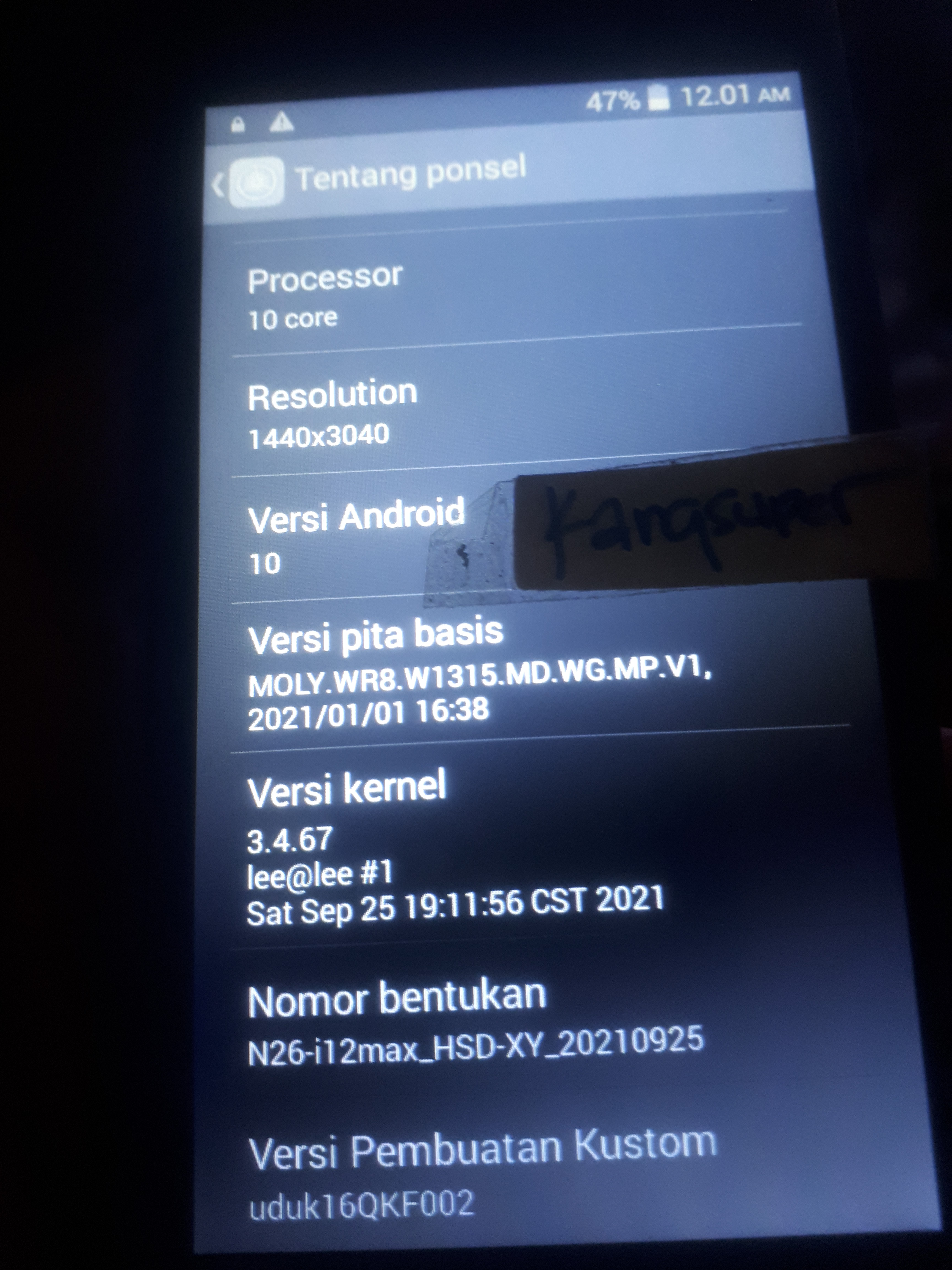
Firmware i12 MAX CLONE | MT6572__alps__i12_max__x6_v5_x50__4.4.2__N26-i12max_HSD-XY


Brand     : alps
ProdName  : x6_v5_x50
ProdModel : i12 max
Device    : x6_v5_x50
AndroidVer: 4.4.2
MTKxCPU   : MT6572
MTKxPRJ   : N26-i12max_HSD-XY


 Bahan :
1. Download ROM Firmware i12 max | MT6572  Scatter File

2. Download SP-Flash-Tool Download Disini
3. Driver bila belum punya instal dulu driver mtknya
4. Untuk tutorial flash via Flash tool bisa dilihat DISINI
5. Konfirmasi pass sms / wa only 0822-1163-1565 (nomor ini hanya buat konfirmasi, BUKAN YANG DI ISI) , Mahar SHOPEE PAY / GOPAY 20k


Chinese Miracle II  [MTK module] v 1.58

Start  at : [6/11/2022 / 1:59:58 PM]
Operation : Read Flash [ v1.58 ]

1. Power Off Phone , Remove battery , Insert back
2. Insert USB cable. In some cases require hold BootKey

Wait for phone...
Phone found! [ 26 ]
Sync...
Inital Boot Ok!
BB_CPU_PID : 6572
BB_CPU_NME : [MediaTek] MT6572_S00
BB_CPU_EXT : 0xCA01 , 0x8A00 , 0x0000
Processing BROM stage
Settings for BROM configured!
SecCfgVal : 0x00000000
BromVer   : 0x00FF
BLVersion : 0x0001
PreLoader : Active [ Boot with PL ]
BootLdrSS : NORMAL with PRELOADER
Processing DA stage
DA Select done, will use MTK_AllInOne_DA_v5.1624.16.07
Sending and initialize DA ...
Running DA ver.4.2 on BBID : 0x88
NAND Flash : NOT INSTALLED
eMMC Flash : 15010053355530304D02A380B631C0D9
Initialize Memory ...
DRAM already initialized by Preloader
DAgent sent , init HW now
eMMC FlashIC initialized
[eMMC] : FLASH_VEN : 0x15 , OEM : 0100
[eMMC] : FLASH_INF : [SAMSUNG] , M00U5
[eMMC] : FLASH_CID : 15010053355530304D02A380B631C0D9
[eMMC] : FLASH_BRT : 0x00200000 , 0x00200000 , 0x00020000
[eMMC] : FLASH_LEN : 0x00000000E9000000
[eMMC] : FLASH_UCP : 3728 MiB [eMMC 4 GiB]
DEV RID    : 0xA9315567A488287DB3B8B32BBFECEB0D
INT RAM    : 0x00020000
EXT RAM    : 0x20000000 [512 MiB]
BOOT TYPE  : EMMC_FLASH_BOOT
SOC VERIFY : C1
Boot Ok!

Reading Flash Content now ...

Brand     : alps
ProdName  : x6_v5_x50
ProdModel : i12 max
Device    : x6_v5_x50
AndroidVer: 4.4.2
MTKxCPU   : MT6572
MTKxPRJ   : N26-i12max_HSD-XY

[Read Ok] : preloader_x6_v5_x50.bin
[Read Ok] : MBR
[Read Ok] : EBR1
[Read Ok] : lk.bin
[Read Ok] : boot.img
[Read Ok] : recovery.img
[Read Ok] : secro.img
[Read Ok] : logo.bin
[Read Ok] : system.img
[Read Ok] : cache.img
[Read Ok] : userdata.img

[ScatCFG] : MT6572 / V1.1.1 / x6_v5_x50 / EMMC
Android Info saved
MAUI Meta DB saved
HWConfig Info saved
FW Size : 808 MiB
Scatter saved to : E:\New folder\MT6572__alps__i12_max__x6_v5_x50__4.4.2__N26-i12max_HSD-XY\

All done!


Minggu, 22 Mei 2022

Firmware COPY SAMSUNG G960U S9+ MT6580__samsung__SM-G960U__hero2qltechn


Brand     : samsung
ProdName  : hero2qltezc
ProdModel : SM-G960U
Device    : hero2qltechn
AndroidVer: 7.0
MTKxCPU   : MT6580
MTKxPRJ   : ALPS.L1.MP6.V2.19_HCT6580.WEG.A.L_P55

Bahan :
1. Download ROM Firmware SAMSUNG G960U S9+ | MT6580  Scatter File

2. Download SP-Flash-Tool Download Disini
3. Driver bila belum punya instal dulu driver mtknya
4. Untuk tutorial flash via Flash tool bisa dilihat DISINI
5. Konfirmasi pass sms / wa only 0822-1163-1565 (nomor ini hanya buat konfirmasi, BUKAN YANG DI ISI) , Mahar SHOPEE PAY / GOPAY 20k


Log Read info Firmware SAMSUNG G960U S9+ | MT6580

Operation : Read Flash [ v1.58 ]

1. Power Off Phone , Remove battery , Insert back
2. Insert USB cable. In some cases require hold BootKey

Wait for phone...
Phone found! [ 26 ]
Sync...
Inital Boot Ok!
BB_CPU_PID : 6580
BB_CPU_NME : [MediaTek] MT6580_S00
BB_CPU_EXT : 0xCA00 , 0x8A00 , 0x0000
Processing BROM stage
Settings for BROM configured!
SecCfgVal : 0x00000000
BromVer   : 0x00FF
BLVersion : 0x0001
PreLoader : Active [ Boot with PL ]
BootLdrSS : NORMAL with PRELOADER
Processing DA stage
DA Select done, will use MTK_AllInOne_DA_v5.1624.16.07
Sending and initialize DA ...
Running DA ver.4.2 on BBID : 0x94
NAND Flash : NOT INSTALLED
eMMC Flash : 150100464531324D420D55309BE3542F
Initialize Memory ...
DRAM already initialized by Preloader
DAgent sent , init HW now
eMMC FlashIC initialized
[eMMC] : FLASH_VEN : 0x15 , OEM : 0100
[eMMC] : FLASH_INF : [SAMSUNG] , BM21E
[eMMC] : FLASH_CID : 150100464531324D420D55309BE3542F
[eMMC] : FLASH_BRT : 0x00400000 , 0x00400000 , 0x00400000
[eMMC] : FLASH_LEN : 0x00000003A3E00000
[eMMC] : FLASH_UCP : 14910 MiB [eMMC 16 GiB]
DEV RID    : 0xA931556757DE1519031FDD73695CB5A8
INT RAM    : 0x00020000
EXT RAM    : 0x40000000 [1 GiB]
BOOT TYPE  : EMMC_FLASH_BOOT
SOC VERIFY : C1
Boot Ok!

Reading Flash Content now ...

xGPT : Normalize settings Ok!

Brand     : samsung
ProdName  : hero2qltezc
ProdModel : SM-G960U
Device    : hero2qltechn
AndroidVer: 7.0
MTKxCPU   : MT6580
MTKxPRJ   : ALPS.L1.MP6.V2.19_HCT6580.WEG.A.L_P55

[Read Ok] : preloader_hct6580_weg_a_l.bin
[Read Ok] : lk.bin
[Read Ok] : boot.img
[Read Ok] : recovery.img
[Read Ok] : logo.bin
[Read Ok] : secro.img
[Read Ok] : system.img
[Read Ok] : cache.img
[Read Ok] : userdata.img

[ScatCFG] : MT6580 / V1.1.2 / hct6580_weg_a_l / EMMC
Android Info saved
MAUI Meta DB saved
HWConfig Info saved
FW Size : 1697 MiB
Scatter saved to : F:\111NEW ANDRO\ANDROID LAIN2\sam kopyor\MT6580__samsung__SM-G960U__hero2qltechn__7.0__ALPS.L1.MP6.V2.19_HCT6580.WEG.A.L_P55\

All done!


Jumat, 13 Agustus 2021

Firmware SM-A10 Pro | MT6580 | MT6580_Samsung_SM-A10_Pro_7.1.1_ALPS.L1.MP6.V2_AEON6580.WEG.L_P73


Brand     : Samsung
ProdName  : SM-A10 Pro
ProdModel : SM-A10 Pro
Device    : SM-A10 Pro
AndroidVer: 7.1.1
MTKxCPU   : MT6580
MTKxPRJ   : ALPS.L1.MP6.V2_AEON6580.WEG.L_P73

preloader_aeon6580_weg_l_l9.bin

Bahan :
1. Download ROM Firmware SM-A10 Pro | MT6580  Scatter File

2. Download SP-Flash-Tool Download Disini
3. Driver bila belum punya instal dulu driver mtknya
4. Untuk tutorial flash via Flash tool bisa dilihat DISINI
5. Konfirmasi pass sms / wa only 0822-1163-1565 (nomor ini hanya buat konfirmasi, BUKAN YANG DI ISI) , Mahar SHOPEE PAY / GOPAY 20k


Log Read info Firmware SM-A10 Pro | MT6580

Operation : Check / Read Info [ v1.58 ]

1. Power Off Phone , Remove battery , Insert back
2. Insert USB cable. In some cases require hold BootKey

Wait for phone...
Phone found! [ 9 ]
Sync...
Inital Boot Ok!
BB_CPU_PID : 6580
BB_CPU_NME : [MediaTek] MT6580_S00
BB_CPU_EXT : 0xCA00 , 0x8A00 , 0x0000
Processing BROM stage
Settings for BROM configured!
SecCfgVal : 0x00000000
BromVer   : 0x00FF
BLVersion : 0x0001
PreLoader : Active [ Boot with PL ]
BootLdrSS : NORMAL with PRELOADER
Processing DA stage
DA Select done, will use MTK_AllInOne_DA_v5.1624.16.07
Sending and initialize DA ...
Running DA ver.4.2 on BBID : 0x94
NAND Flash : NOT INSTALLED
eMMC Flash : 11010030303447393010DD15827C61A9
Initialize Memory ...
DRAM already initialized by Preloader
DAgent sent , init HW now
eMMC FlashIC initialized
[eMMC] : FLASH_VEN : 0x11 , OEM : 0100
[eMMC] : FLASH_INF : [TOSHIBA] , 09G40
[eMMC] : FLASH_CID : 11010030303447393010DD15827C61A9
[eMMC] : FLASH_BRT : 0x00200000 , 0x00200000 , 0x00080000
[eMMC] : FLASH_LEN : 0x00000000EC000000
[eMMC] : FLASH_UCP : 3776 MiB [eMMC 4 GiB]
DEV RID    : 0xFCC4CFBDF5EB02C2B08C63A940F4D29D
INT RAM    : 0x00020000
EXT RAM    : 0x20000000 [512 MiB]
BOOT TYPE  : EMMC_FLASH_BOOT
SOC VERIFY : C1
Boot Ok!

[AP] : Initial info read Ok!

Brand     : Samsung
ProdName  : SM-A10 Pro
ProdModel : SM-A10 Pro
Device    : SM-A10 Pro
AndroidVer: 7.1.1
MTKxCPU   : MT6580
MTKxPRJ   : ALPS.L1.MP6.V2_AEON6580.WEG.L_P73

SECURITY :
IMEI_SW [1] : 358623033432193
IMEI_SW [2] : 358623033432201
BTMAC Addr  : 5E9C466580E9
WiFi MAC    : E8D594C4974B

MODEM :
BaseBand  : MT6580_S00_MOLY_WR8_W1449_MD_WG_MP_V6_P11_1_2g_n

EXTRA :
LCD [0] : STOM_KERNEL_LCM=ili9807_qhd_dsi_vdo_ivo_546_hanlong_lyx
LCD [1] : jd9261_qhd_dsi_vdo_ivoips_55_qicai_lyx
LCD [2] : jd9522z_qhd_dsi2l_vdo_cm_ips_55_suojia_lyx_fhd
LCD [3] : rm67200_qhd_dsi3l_vdo_auo_546_mingshi_lyx
LCD [4] : ili9885u_qhd_dsi_vdo_sharp_55_weisicheng_lyx
LCD Res : 960x540
TOUCH [0] : STOM_KERNEL_TOUCHPANEL=focaltech
CAM [0] : imx179_mipi_raw
MODEM : L19_b125_coclk_simhotplug L11_gprs_coclk_simhot
LOCALE : en_US zh_CN zh_TW es_ES pt_BR ru_RU fr_FR de_DE tr_TR vi_VN ms_MY in_ID th_TH it_IT ar_EG hi_IN bn_IN ur_PK fa_IR pt_PT nl_NL el_GR hu_HU tl_PH ro_RO cs_CZ ko_KR km_KH iw_IL my_MM pl_PL es_US bg_BG hr_HR lv_LV lt_LT sk_SK uk_UA de_AT da_DK fi_FI nb_NO sv_SE en_GB hy_AM zh_HK et_EE ja_JP kk_KZ sr_RS sl_SI ca_ES

Done!


Selasa, 27 Juli 2021

Firmware IPHONE APPLE 7 PLUS | MT6580__APPLE__7_Plus__7_Plus__6.0__alps-mp-m0.mp1-V2.34_hexing6580.we.m_P15

Brand     : APPLE
ProdName  : 7 Plus
ProdModel : 7 Plus
Device    : 7 Plus
AndroidVer: 6.0
MTKxCPU   : MT6580
MTKxPRJ   : alps-mp-m0.mp1-V2.34_hexing6580.we.m_P15

preloader_s206_7p.bin

Bahan :
1. Download ROM Firmware IPHONE 7+ | CLONE/COPY/REPLIKA | MT6580  Scatter File

2. Download SP-Flash-Tool Download Disini
3. Driver bila belum punya instal dulu driver mtknya
4. Untuk tutorial flash via Flash tool bisa dilihat DISINI
5. Konfirmasi pass sms / wa only 0822-1163-1565 (nomor ini hanya buat konfirmasi, BUKAN YANG DI ISI) , Mahar SHOPEE PAY / GOPAY 20k


Log read firmware IPHONE APPLE 7 PLUS

Operation : Check / Read Info [ v1.58 ]

1. Power Off Phone , Remove battery , Insert back
2. Insert USB cable. In some cases require hold BootKey

Wait for phone...
Phone found! [ 3 ]
Sync...
Inital Boot Ok!
BB_CPU_PID : 6580
BB_CPU_NME : [MediaTek] MT6580_S00
BB_CPU_EXT : 0xCA00 , 0x8A00 , 0x0000
Processing BROM stage
Settings for BROM configured!
SecCfgVal : 0x00000000
BromVer   : 0x00FF
BLVersion : 0x0001
PreLoader : Active [ Boot with PL ]
BootLdrSS : NORMAL with PRELOADER
Processing DA stage
DA Select done, will use MTK_AllInOne_DA_v5.1624.16.07
Sending and initialize DA ...
Running DA ver.4.2 on BBID : 0x94
NAND Flash : NOT INSTALLED
eMMC Flash : 150100513758534142011175E7F5B155
Initialize Memory ...
DRAM already initialized by Preloader
DAgent sent , init HW now
eMMC FlashIC initialized
[eMMC] : FLASH_VEN : 0x15 , OEM : 0100
[eMMC] : FLASH_INF : [SAMSUNG] , BASX7
[eMMC] : FLASH_CID : 150100513758534142011175E7F5B155
[eMMC] : FLASH_BRT : 0x00400000 , 0x00400000 , 0x00080000
[eMMC] : FLASH_LEN : 0x00000001D2000000
[eMMC] : FLASH_UCP : 7456 MiB [eMMC 8 GiB]
DEV RID    : 0xFCC4CFBDFD442839C913E1C8ED159085
INT RAM    : 0x00020000
EXT RAM    : 0x40000000 [1 GiB]
BOOT TYPE  : EMMC_FLASH_BOOT
SOC VERIFY : C1
Boot Ok!

[AP] : Initial info read Ok!

Brand     : APPLE
ProdName  : 7 Plus
ProdModel : 7 Plus
Device    : 7 Plus
AndroidVer: 6.0
MTKxCPU   : MT6580
MTKxPRJ   : alps-mp-m0.mp1-V2.34_hexing6580.we.m_P15

SECURITY :
BTMAC Addr  : 000046658001
WiFi MAC    : 000000000000

MODEM :
BaseBand  : MT6580_S00_MOLY_WR8_W1449_MD_WG_MP_V6_P5_1_2g_n

EXTRA :
LCD : Not info available :(
LCD Res : 1280x720
TOUCH [0] : GT1XX
CAM [0] : imx239_mipi_raw
CAM [1] : imx219_mipi_raw
CAM [2] : imx149_mipi_raw
CAM [3] : gc8024mipi_raw
CAM [4] : sp8408_mipi_raw
CAM [5] : ov9762_mipi_raw
CAM [6] : ov9760_mipi_raw
CAM [7] : gc2365mipi_raw
CAM [8] : sp2509_mipi_raw
MODEM : hexing6580_we_l_hspa hexing6580_we_l_gprs
LOCALE : en_US zh_CN zh_TW es_ES pt_BR ru_RU fr_FR de_DE tr_TR vi_VN ms_MY in_ID th_TH it_IT ar_EG hi_IN bn_IN ur_PK fa_IR pt_PT nl_NL el_GR hu_HU tl_PH ro_RO cs_CZ ko_KR km_KH iw_IL my_MM pl_PL es_US bg_BG hr_HR lv_LV lt_LT sk_SK uk_UA de_AT da_DK fi_FI nb_NO sv_SE en_GB hy_AM zh_HK et_EE ja_JP kk_KZ sr_RS sl_SI ca_ES

Done!
Elapsed: 00:00:15
Reconnect Power/Cable!

Finish at : [7/27/2021 / 11:42:56 AM]

Start  at : [7/27/2021 / 11:43:02 AM]
Operation : Read Flash [ v1.58 ]

1. Power Off Phone , Remove battery , Insert back
2. Insert USB cable. In some cases require hold BootKey

Wait for phone...
Phone found! [ 3 ]
Sync...
Inital Boot Ok!
BB_CPU_PID : 6580
BB_CPU_NME : [MediaTek] MT6580_S00
BB_CPU_EXT : 0xCA00 , 0x8A00 , 0x0000
Processing BROM stage
Settings for BROM configured!
SecCfgVal : 0x00000000
BromVer   : 0x00FF
BLVersion : 0x0001
PreLoader : Active [ Boot with PL ]
BootLdrSS : NORMAL with PRELOADER
Processing DA stage
DA Select done, will use MTK_AllInOne_DA_v5.1624.16.07
Sending and initialize DA ...
Running DA ver.4.2 on BBID : 0x94
NAND Flash : NOT INSTALLED
eMMC Flash : 150100513758534142011175E7F5B155
Initialize Memory ...
DRAM already initialized by Preloader
DAgent sent , init HW now
eMMC FlashIC initialized
[eMMC] : FLASH_VEN : 0x15 , OEM : 0100
[eMMC] : FLASH_INF : [SAMSUNG] , BASX7
[eMMC] : FLASH_CID : 150100513758534142011175E7F5B155
[eMMC] : FLASH_BRT : 0x00400000 , 0x00400000 , 0x00080000
[eMMC] : FLASH_LEN : 0x00000001D2000000
[eMMC] : FLASH_UCP : 7456 MiB [eMMC 8 GiB]
DEV RID    : 0xFCC4CFBDFD442839C913E1C8ED159085
INT RAM    : 0x00020000
EXT RAM    : 0x40000000 [1 GiB]
BOOT TYPE  : EMMC_FLASH_BOOT
SOC VERIFY : C1
Boot Ok!

Reading Flash Content now ...

xGPT : Normalize settings Ok!

Brand     : APPLE
ProdName  : 7 Plus
ProdModel : 7 Plus
Device    : 7 Plus
AndroidVer: 6.0
MTKxCPU   : MT6580
MTKxPRJ   : alps-mp-m0.mp1-V2.34_hexing6580.we.m_P15

[Read Ok] : preloader_s206_7p.bin
[Read Ok] : lk.bin
[Read Ok] : boot.img
[Read Ok] : recovery.img
[Read Ok] : logo.bin
[Read Ok] : secro.img
[Read Ok] : system.img
[Read Ok] : cache.img
[Read Ok] : userdata.img

[ScatCFG] : MT6580 / V1.1.2 / s206_7p / EMMC
Android Info saved
MAUI Meta DB saved
HWConfig Info saved
FW Size : 1524 MiB
Scatter saved to : E:\andro2\kopyor\iphone 7plus\MT6580__APPLE__7_Plus__7_Plus__6.0__alps-mp-m0.mp1-V2.34_hexing6580.we.m_P15\


Rabu, 07 Juli 2021

Firmware IPHONE 7+ | CLONE/COPY/REPLIKA | MT6580


Brand     : alps
ProdName  : iPhone7 Plus
ProdModel : MN4A2ZP/A
Device    : iPhone7 Plus
AndroidVer: 5.1
MTKxCPU   : MT6580
MTKxPRJ   : ALPS.L1.MP6.V2.19_BENRUI6580.WE.L_P2

preloader_benrui6580_we_l.bin

Bahan :
1. Download ROM Firmware IPHONE 7+ | CLONE/COPY/REPLIKA | MT6580  Scatter File

2. Download SP-Flash-Tool Download Disini
3. Driver bila belum punya instal dulu driver mtknya
4. Untuk tutorial flash via Flash tool bisa dilihat DISINI
5. Konfirmasi pass sms / wa only 0822-1163-1565 (nomor ini hanya buat konfirmasi, BUKAN YANG DI ISI) , Mahar SHOPEE PAY / GOPAY 20k


Log read firmware IPHONE 7+ | CLONE/COPY/REPLIKA | MT6580

Operation : Read Flash [ v1.58 ]

1. Power Off Phone , Remove battery , Insert back
2. Insert USB cable. In some cases require hold BootKey

Wait for phone...
Phone found! [ 7 ]
Sync...
Inital Boot Ok!
BB_CPU_PID : 6580
BB_CPU_NME : [MediaTek] MT6580_S00
BB_CPU_EXT : 0xCA00 , 0x8A00 , 0x0000
Processing BROM stage
Settings for BROM configured!
SecCfgVal : 0x00000000
BromVer   : 0x00FF
BLVersion : 0x0001
PreLoader : Active [ Boot with PL ]
BootLdrSS : NORMAL with PRELOADER
Processing DA stage
DA Select done, will use MTK_AllInOne_DA_v5.1624.16.07
Sending and initialize DA ...
Running DA ver.4.2 on BBID : 0x94
NAND Flash : NOT INSTALLED
eMMC Flash : 8801034E4361726420390C57163683C5
Initialize Memory ...
DRAM already initialized by Preloader
DAgent sent , init HW now
eMMC FlashIC initialized
[eMMC] : FLASH_VEN : 0x88 , OEM : 0103
[eMMC] : FLASH_INF : [FORESEE] , draC
[eMMC] : FLASH_CID : 8801034E4361726420390C57163683C5
[eMMC] : FLASH_BRT : 0x00400000 , 0x00400000 , 0x00400000
[eMMC] : FLASH_LEN : 0x00000001CE100000
[eMMC] : FLASH_UCP : 7393 MiB [eMMC 8 GiB]
DEV RID    : 0xFCC4CFBD64552F1DADD6DEC662E82E4E
INT RAM    : 0x00020000
EXT RAM    : 0x20000000 [512 MiB]
BOOT TYPE  : EMMC_FLASH_BOOT
SOC VERIFY : C1
Boot Ok!

Reading Flash Content now ...

xGPT : Normalize settings Ok!

Brand     : alps
ProdName  : iPhone7 Plus
ProdModel : MN4A2ZP/A
Device    : iPhone7 Plus
AndroidVer: 5.1
MTKxCPU   : MT6580
MTKxPRJ   : ALPS.L1.MP6.V2.19_BENRUI6580.WE.L_P2

[Read Ok] : preloader_benrui6580_we_l.bin
[Read Ok] : lk.bin
[Read Ok] : boot.img
[Read Ok] : recovery.img
[Read Ok] : logo.bin
[Read Ok] : secro.img
[Read Ok] : system.img
[Read Ok] : cache.img
[Read Ok] : userdata.img

[ScatCFG] : MT6580 / V1.1.2 / benrui6580_we_l / EMMC
Android Info saved
MAUI Meta DB saved
HWConfig Info saved
FW Size : 1389 MiB
Scatter saved to : D:\ANDROID LAIN2\iphone clone\New folder\MT6580__alps__MN4A2ZPA__iPhone7_Plus__5.1__ALPS.L1.MP6.V2.19_BENRUI6580.WE.L_P2\

All done!

Done!
Elapsed: 00:06:34


Selasa, 25 Mei 2021

Samsung S20+ COPY/CLONE | MT6582


platform: MT6582, cpu abi: armeabi-v7a
manufacturer: S20+
board: , name: full_q15_tx_g65_s20_emmc64_8_ddr2_b15
brand: S20+, model: S6
build id: LRX21M, version: 5.0.2 Lollipop (DW_Q15_64V8_B15_FWP_TX_G65_S20+_V1.0_20201202)
build description: full_q15_tx_g65_s20_emmc64_8_ddr2_b15-user 5.0.2 LRX21M 1606912200 release-keys
build version: DW_Q15_64V8_B15_FWP_TX_G65_S20+_V1.0
lcd: gc9503v_fwvgaj_jiaj_h10_ivo  st7701s_fwvgaj_dw_x01_boe  jd9161aa_fwvgajj_tx_g65_1014boe  jd9161aa_fwvgaj_tx_g66_ivo
screen resolution: 1014 x 480
 lens: dw9714af fm50af
audio: amp_aw8736
touch: focaltech_new  gslX680
modem: dw_q15_b15

preloader_q15_tx_g65_s20_emmc64_8_ddr2_b15.bin

Bahan :
1. Download ROM Firmware Wearnes ZeusPhone ZP-452  Scatter File

2. Download SP-Flash-Tool Download Disini
3. Driver bila belum punya instal dulu driver mtknya
4. Untuk tutorial flash via Flash tool bisa dilihat DISINI
5. Konfirmasi pass sms / wa only 0822-1163-1565 (nomor ini hanya buat konfirmasi, BUKAN YANG DI ISI) , Mahar SHOPEE PAY / GOPAY 20k


Log read firmware Samsung S20+ COPY/CLONE | MT6582

Please "Identify Device" at first, before any other operation.
name: MTK_PLATFORM_CFG
 version: V1.1.1
 platform: MT6582
 project: q15_tx_g65_s20_emmc64_8_ddr2_b15
 storage: EMMC
 bootChannel: MSDC_0
 blockSize: 0x00020000
MTK Preloader file info.
Found 9 supported eMMC CID:
 [Samsung] K7XVMB     1501004B 3758564D 42xxxxxx xxxxxxxx
 [Samsung] K7U00M     1501004B 37553030 4Dxxxxxx xxxxxxxx
 [SanDisk] SEM08G     45010053 454D3038 47xxxxxx xxxxxxxx
 [Micron] P1J95L     FE014E50 314A3935 4Cxxxxxx xxxxxxxx
 [Kingston] V10008     70010056 31303030 38xxxxxx xxxxxxxx
 [SK Hynix] H8G1e     90014A48 38473165 05xxxxxx xxxxxxxx
 [SK Hynix] H8G2d     90014A48 38473264 04xxxxxx xxxxxxxx
 [Toshiba] 008G92     11010030 30384739 32xxxxxx xxxxxxxx
 [Micron] P1J95K     FE014E50 314A3935 4Bxxxxxx xxxxxxxx
BROM version[0]: 7.1621.1.0
Loading DA: MTK_AllInOne_DA.bin (5.42 MiB)
 version: 3.3001.00.00, start addr: 0x40000800
Connecting to BootROM...
 Power off the phone, disconnect and reconnect the battery(if possible) and connect USB cable...
 Hold the VOL DOWN to force MediaTek BootROM.
 Scanning BootROM or Preloader port(30 s)... Done.
 Detected PreLoader USB VCOM Port (COM4)
 Connection status: EHCI:HUB:HUB:USB 2.0 High-Speed
 USB Driver: [MediaTek Inc.] usbser, version: 2.0.0.0, date: 12-24-2011
Connecting Bootrom... Done.
Sending Download Agent... Done.
Platform: MT6582_S01, Hw ver: 0xCA01, Sw ver: 0x0001
 Secure ver: 0xFF, BL ver: 0x01
 Secure config: 0x00
 SRAM size: 128 KiB
DRAM size: 1 GiB
Storage type: eMMC
Card/BGA: BGA (Discrete embedded)
Manufacturer ID: 0x70 (Kingston)
Product name: V10008 (0x563130303038), rev: 0x06, serial number: 0xA81F3858
Manufacturing date: Sep 2015
CID: 70010056 31303030 3806A81F 3858924F
Capacity: 7.06 GiB(7,579,107,328 bytes)
 Boot1: 4096 KiB
 Boot2: 4096 KiB
 RPMB: 4096 KiB
 User area: 7.05 GiB(7,566,524,416 bytes)
USB speed: High-Speed
platform: MT6582, cpu abi: armeabi-v7a
manufacturer: S20+
board: , name: full_q15_tx_g65_s20_emmc64_8_ddr2_b15
brand: S20+, model: S6
build id: LRX21M, version: 5.0.2 Lollipop (DW_Q15_64V8_B15_FWP_TX_G65_S20+_V1.0_20201202)
build description: full_q15_tx_g65_s20_emmc64_8_ddr2_b15-user 5.0.2 LRX21M 1606912200 release-keys
build version: DW_Q15_64V8_B15_FWP_TX_G65_S20+_V1.0
lcd: gc9503v_fwvgaj_jiaj_h10_ivo  st7701s_fwvgaj_dw_x01_boe  jd9161aa_fwvgajj_tx_g65_1014boe  jd9161aa_fwvgaj_tx_g66_ivo
screen resolution: 1014 x 480
 lens: dw9714af fm50af
audio: amp_aw8736
touch: focaltech_new  gslX680
modem: dw_q15_b15
BROM version[0]: 7.1621.1.0
Loading DA: MTK_AllInOne_DA.bin (5.42 MiB)
 version: 3.3001.00.00, start addr: 0x40000800
Connecting to BootROM...
 Power off the phone, disconnect and reconnect the battery(if possible) and connect USB cable...
 Hold the VOL DOWN to force MediaTek BootROM.
 Scanning BootROM or Preloader port(30 s)... Done.
 Detected PreLoader USB VCOM Port (COM4)
 Connection status: EHCI:HUB:HUB:USB 2.0 High-Speed
 USB Driver: [MediaTek Inc.] usbser, version: 2.0.0.0, date: 12-24-2011
Connecting Bootrom... Done.
Sending Download Agent... Done.
Platform: MT6582_S01, Hw ver: 0xCA01, Sw ver: 0x0001
 Secure ver: 0xFF, BL ver: 0x01
 Secure config: 0x00
 SRAM size: 128 KiB
DRAM size: 1 GiB
PL Secure ver: 0x02
Storage type: eMMC
Card/BGA: BGA (Discrete embedded)
Manufacturer ID: 0x70 (Kingston)
Product name: V10008 (0x563130303038), rev: 0x06, serial number: 0xA81F3858
Manufacturing date: Sep 2015
CID: 70010056 31303030 3806A81F 3858924F
Capacity: 7.06 GiB(7,579,107,328 bytes)
 Boot1: 4096 KiB
 Boot2: 4096 KiB
 RPMB: 4096 KiB
 User area: 7.05 GiB(7,566,524,416 bytes)
USB speed: High-Speed
platform: MT6582, cpu abi: armeabi-v7a
manufacturer: S20+
board: , name: full_q15_tx_g65_s20_emmc64_8_ddr2_b15
brand: S20+, model: S6
build id: LRX21M, version: 5.0.2 Lollipop (DW_Q15_64V8_B15_FWP_TX_G65_S20+_V1.0_20201202)
build description: full_q15_tx_g65_s20_emmc64_8_ddr2_b15-user 5.0.2 LRX21M 1606912200 release-keys
build version: DW_Q15_64V8_B15_FWP_TX_G65_S20+_V1.0
lcd: gc9503v_fwvgaj_jiaj_h10_ivo  st7701s_fwvgaj_dw_x01_boe  jd9161aa_fwvgajj_tx_g65_1014boe  jd9161aa_fwvgaj_tx_g66_ivo
screen resolution: 1014 x 480
 lens: dw9714af fm50af
audio: amp_aw8736
touch: focaltech_new  gslX680
modem: dw_q15_b15
BROM version[0]: 7.1621.1.0
Loading DA: MTK_AllInOne_DA.bin (5.42 MiB)
 version: 3.3001.00.00, start addr: 0x40000800
Connecting to BootROM...
 Power off the phone, disconnect and reconnect the battery(if possible) and connect USB cable...
 Hold the VOL DOWN to force MediaTek BootROM.
 Scanning BootROM or Preloader port(30 s)... Done.
 Detected PreLoader USB VCOM Port (COM4)
 Connection status: EHCI:HUB:HUB:USB 2.0 High-Speed
 USB Driver: [MediaTek Inc.] usbser, version: 2.0.0.0, date: 12-24-2011
Connecting Bootrom... Done.
Sending Download Agent... Done.
Platform: MT6582_S01, Hw ver: 0xCA01, Sw ver: 0x0001
 Secure ver: 0xFF, BL ver: 0x01
 Secure config: 0x00
 SRAM size: 128 KiB
DRAM size: 1 GiB
PL Secure ver: 0x02
Storage type: eMMC
Card/BGA: BGA (Discrete embedded)
Manufacturer ID: 0x70 (Kingston)
Product name: V10008 (0x563130303038), rev: 0x06, serial number: 0xA81F3858
Manufacturing date: Sep 2015
CID: 70010056 31303030 3806A81F 3858924F
Capacity: 7.06 GiB(7,579,107,328 bytes)
 Boot1: 4096 KiB
 Boot2: 4096 KiB
 RPMB: 4096 KiB
 User area: 7.05 GiB(7,566,524,416 bytes)
USB speed: High-Speed
platform: MT6582, cpu abi: armeabi-v7a
manufacturer: S20+
board: , name: full_q15_tx_g65_s20_emmc64_8_ddr2_b15
brand: S20+, model: S6
build id: LRX21M, version: 5.0.2 Lollipop (DW_Q15_64V8_B15_FWP_TX_G65_S20+_V1.0_20201202)
build description: full_q15_tx_g65_s20_emmc64_8_ddr2_b15-user 5.0.2 LRX21M 1606912200 release-keys
build version: DW_Q15_64V8_B15_FWP_TX_G65_S20+_V1.0
lcd: gc9503v_fwvgaj_jiaj_h10_ivo  st7701s_fwvgaj_dw_x01_boe  jd9161aa_fwvgajj_tx_g65_1014boe  jd9161aa_fwvgaj_tx_g66_ivo
screen resolution: 1014 x 480
 lens: dw9714af fm50af
audio: amp_aw8736
touch: focaltech_new  gslX680
modem: dw_q15_b15
Reading preloader_q15_tx_g65_s20_emmc64_8_ddr2_b15.bin... Done.
Reading mbr... Done.
Reading ebr1... Done.
Reading pro_info... Done.
Reading nvram... Done.
Reading protect_f... Done.
Reading protect_s... Done.
Reading seccfg... Done.
Reading uboot.bin... Done.
Reading bootimg.img... Done.
Reading recovery.img... Done.
Reading sec_ro.img... Done.
Reading misc... Done.
Reading logo.bin... Done.
Reading expdb... Done.
Reading android.img... Done.
Reading cache.img... Done.
Reading usrdata.img... Done.
Files saved to \\D:\ANDROID%20LAIN2\samsung\s20+\MT6582__S20+__S6__q15_tx_g65_s20_emmc64_8_ddr2_b15__5.0.2__DW_Q15_64V8_B15_FWP_TX_G65_S20+_V1.0\DW_Q15_64V8_B15_FWP_TX_G65_S20+_V1.0_20201202\
Completed in 23 mins 18.758 s


 

Jumat, 15 Januari 2021

Firmware CLONE Samsung G920F (HDC) | MT6582 FAKE | preloader_hedy72_w_kk.bin MT6572


Brand     : Samsung
ProdName  : Lite
ProdModel : SM-G920F (HDC)
Device    : HDC
AndroidVer: 5.0.2
MTKxCPU   : MT6582
MTKxPRJ   : HDC.KK1.MP7.V1.22

preloader_hedy72_w_kk.bin

Bahan :
1. Download ROM Firmware CLONE Samsung G920F (HDC)   Scatter File

2. Download SP-Flash-Tool Download Disini
3. Driver bila belum punya instal dulu driver mtknya
4. Untuk tutorial flash via Flash tool bisa dilihat DISINI
5. Konfirmasi pass sms / wa only 0822-1163-1565 (nomor ini hanya buat konfirmasi, BUKAN YANG DI ISI) , Mahar pulsa 20k


Read Firmware Flash Copy Samsung G920F (HDC)

Operation : Read Flash [ v1.58 ]

1. Power Off Phone , Remove battery , Insert back
2. Insert USB cable. In some cases require hold BootKey

Wait for phone...
Phone found! [ 7 ]
Sync...
Inital Boot Ok!
BB_CPU_PID : 6572
BB_CPU_NME : [MediaTek] MT6572_S00
BB_CPU_EXT : 0xCA01 , 0x8A00 , 0x0000
Processing BROM stage
Settings for BROM configured!
SecCfgVal : 0x00000000
BromVer   : 0x00FF
BLVersion : 0x0001
PreLoader : Active [ Boot with PL ]
BootLdrSS : NORMAL with PRELOADER
Processing DA stage
DA Select done, will use MTK_AllInOne_DA_v5.1624.16.07
Sending and initialize DA ...
Running DA ver.4.2 on BBID : 0x88
NAND Flash : NOT INSTALLED
eMMC Flash : 45010053454D3034473AF00A23CD5263
Initialize Memory ...
DRAM already initialized by Preloader
DAgent sent , init HW now
eMMC FlashIC initialized
[eMMC] : FLASH_VEN : 0x45 , OEM : 0100
[eMMC] : FLASH_INF : [SANDISK] , G40ME
[eMMC] : FLASH_CID : 45010053454D3034473AF00A23CD5263
[eMMC] : FLASH_BRT : 0x00200000 , 0x00200000 , 0x00200000
[eMMC] : FLASH_LEN : 0x00000000EC000000
[eMMC] : FLASH_UCP : 3776 MiB [eMMC 4 GiB]
DEV RID    : 0xFCC4CFBD2B0B4087F9563E30BE7DC92E
INT RAM    : 0x00020000
EXT RAM    : 0x20000000 [512 MiB]
BOOT TYPE  : EMMC_FLASH_BOOT
SOC VERIFY : C1
Boot Ok!

Reading Flash Content now ...

Brand     : Samsung
ProdName  : Lite
ProdModel : SM-G920F (HDC)
Device    : HDC
AndroidVer: 5.0.2
MTKxCPU   : MT6582
MTKxPRJ   : HDC.KK1.MP7.V1.22

[Read Ok] : preloader_hedy72_w_kk.bin
[Read Ok] : MBR
[Read Ok] : EBR1
[Read Ok] : lk.bin
[Read Ok] : boot.img
[Read Ok] : recovery.img
[Read Ok] : secro.img
[Read Ok] : logo.bin
[Read Ok] : system.img
[Read Ok] : cache.img
[Read Ok] : userdata.img

[ScatCFG] : MT6572 / V1.1.1 / hedy72_w_kk / EMMC
Android Info saved
HWConfig Info saved
FW Size : 824 MiB
Scatter saved to : D:\ANDROID LAIN2\samsung\New folder\MT6582__Samsung__SM-G920F_(HDC)__HDC__5.0.2__HDC.KK1.MP7.V1.22\

All done! 


Senin, 09 November 2020

FIRMWARE SM-J7 PRO CLONE/COPY | MT6580__Samsung__SM-J7_pro__SM-J7_pro__6.0__ALPS.L1.MP6.V2_AEON6580.WEG.L_P73


Brand     : Samsung
ProdName  : SM-J7 pro
ProdModel : SM-J7 pro
Device    : SM-J7 pro
AndroidVer: 6.0
MTKxCPU   : MT6580
MTKxPRJ   : ALPS.L1.MP6.V2_AEON6580.WEG.L_P73

preloader_aeon6580_weg_l_l19

pass:   j7-testedok

Bahan :
1. Download ROM SAMSUNG SM-J7 PRO CLONE/COPY  Scatter File

2. Download SP-Flash-Tool Download Disini
3. Driver bila belum punya instal dulu driver mtknya
4. Untuk tutorial flash via Flash tool bisa dilihat DISINI
5. Konfirmasi pass sms / wa only 0822-1163-1565 (nomor ini hanya buat konfirmasi, BUKAN YANG DI ISI) , Mahar SHOPEE PAY / GOPAY 20k


 NOTE :

1. BACKUP

2. COBA FLASH SYSTEM,USERDATA,CACHE DULU SAJA

KLO GAK BISA BARU FLASH FULL


 Untuk SM-J7 CORE Kesini https://kangsuper.blogspot.com/2020/11/firmware-j7-core-clonecopy.html

Log Read Info SM-J7 PRO CLONE/COPY

Operation : Check / Read Info [ v1.58 ]

1. Power Off Phone , Remove battery , Insert back
2. Insert USB cable. In some cases require hold BootKey

Wait for phone...
Phone found! [ 10 ]
Sync...
Inital Boot Ok!
BB_CPU_PID : 6580
BB_CPU_NME : [MediaTek] MT6580_S00
BB_CPU_EXT : 0xCA00 , 0x8A00 , 0x0000
Processing BROM stage
Settings for BROM configured!
SecCfgVal : 0x00000000
BromVer   : 0x00FF
BLVersion : 0x0001
PreLoader : Active [ Boot with PL ]
BootLdrSS : NORMAL with PRELOADER
Processing DA stage
DA Select done, will use MTK_AllInOne_DA_v5.1624.16.07
Sending and initialize DA ...
Running DA ver.4.2 on BBID : 0x94
NAND Flash : NOT INSTALLED
eMMC Flash : 110100303034474530018F6235ED12CB
Initialize Memory ...
DRAM already initialized by Preloader
DAgent sent , init HW now
eMMC FlashIC initialized
[eMMC] : FLASH_VEN : 0x11 , OEM : 0100
[eMMC] : FLASH_INF : [TOSHIBA] , 0EG40
[eMMC] : FLASH_CID : 110100303034474530018F6235ED12CB
[eMMC] : FLASH_BRT : 0x00200000 , 0x00200000 , 0x00080000
[eMMC] : FLASH_LEN : 0x00000000EC000000
[eMMC] : FLASH_UCP : 3776 MiB [eMMC 4 GiB]
DEV RID    : 0xA93155671CF68A2E868639B4BF0AA439
INT RAM    : 0x00020000
EXT RAM    : 0x20000000 [512 MiB]
BOOT TYPE  : EMMC_FLASH_BOOT
SOC VERIFY : C1
Boot Ok!

[AP] : Initial info read Ok!

Brand     : Samsung
ProdName  : SM-J7 pro
ProdModel : SM-J7 pro
Device    : SM-J7 pro
AndroidVer: 6.0
MTKxCPU   : MT6580
MTKxPRJ   : ALPS.L1.MP6.V2_AEON6580.WEG.L_P73

SECURITY :
IMEI_SW [1] : 35302707cccccc
IMEI_SW [2] : 35302707xccccc
BTMAC Addr  : BE8F4665803C
WiFi MAC    : E8D541A78A38

MODEM :
BaseBand  : MT6580_S00_MOLY_WR8_W1449_MD_WG_MP_V6_P11_1_2g_n

EXTRA :
LCD [0] : STOM_KERNEL_LCM=ili9807_qhd_dsi_vdo_ivo_546_hanlong_lyx
LCD [1] : jd9261_qhd_dsi_vdo_ivoips_55_qicai_lyx
LCD [2] : jd9522z_qhd_dsi2l_vdo_cm_ips_55_suojia_lyx_fhd
LCD Res : 960x540
TOUCH [0] : STOM_KERNEL_TOUCHPANEL=focaltech
CAM [0] : imx179_mipi_raw
MODEM : L19_b125_coclk_simhotplug L11_gprs_coclk_simhot
LOCALE : en_US zh_CN zh_TW es_ES pt_BR ru_RU fr_FR de_DE tr_TR vi_VN ms_MY in_ID th_TH it_IT ar_EG hi_IN bn_IN ur_PK fa_IR pt_PT nl_NL el_GR hu_HU tl_PH ro_RO cs_CZ ko_KR km_KH iw_IL my_MM pl_PL es_US bg_BG hr_HR lv_LV lt_LT sk_SK uk_UA de_AT da_DK fi_FI nb_NO sv_SE en_GB hy_AM zh_HK et_EE ja_JP kk_KZ sr_RS sl_SI ca_ES

Done!
Elapsed: 00:00:09
Reconnect Power/Cable!


FIRMWARE J7 CORE CLONE/COPY | MT6580__Samsung__SM-J7_Core__SM-J7_Core__7.0__ALPS.L1.MP6.V2_AEON6580.WEG.L_P73

 
Brand     : Samsung
ProdName  : SM-J7 Core
ProdModel : SM-J7 Core
Device    : SM-J7 Core
AndroidVer: 7.0
MTKxCPU   : MT6580
MTKxPRJ   : ALPS.L1.MP6.V2_AEON6580.WEG.L_P73
preloader_aeon6580_weg_l_l19

Bahan :
1. Download ROM SAMSUNG J7 CORE CLONE/COPY  Scatter File

2. Download SP-Flash-Tool Download Disini
3. Driver bila belum punya instal dulu driver mtknya
4. Untuk tutorial flash via Flash tool bisa dilihat DISINI
5. Konfirmasi pass sms / wa only 0822-1163-1565 (nomor ini hanya buat konfirmasi, BUKAN YANG DI ISI) , Mahar pulsa 20k

 NOTE :

1. BACKUP

2. COBA FLASH SYSTEM,USERDATA,CACHE DULU SAJA

KLO GAK BISA BARU FLASH FULL


 Untuk J7 PRO KESINI Download ROM SAMSUNG SM-J7 PRO CLONE/COPY  Scatter File

Log Read Info FIRMWARE J7 CORE CLONE/COPY | MT6580__Samsung__SM-J7_Core__SM-J7_Core__7.0__ALPS.L1.MP6.V2_AEON6580.WEG.L_P73

Operation : Check / Read Info [ v1.58 ]

1. Power Off Phone , Remove battery , Insert back
2. Insert USB cable. In some cases require hold BootKey

Wait for phone...
Phone found! [ 5 ]
Sync...
Inital Boot Ok!
BB_CPU_PID : 6580
BB_CPU_NME : [MediaTek] MT6580_S00
BB_CPU_EXT : 0xCA00 , 0x8A00 , 0x0000
Processing BROM stage
Settings for BROM configured!
SecCfgVal : 0x00000000
BromVer   : 0x00FF
BLVersion : 0x0001
PreLoader : Active [ Boot with PL ]
BootLdrSS : NORMAL with PRELOADER
Processing DA stage
DA Select done, will use MTK_AllInOne_DA_v5.1624.16.07
Sending and initialize DA ...
Running DA ver.4.2 on BBID : 0x94
NAND Flash : NOT INSTALLED
eMMC Flash : 110100303034474530018F6235ED12CB
Initialize Memory ...
DRAM already initialized by Preloader
DAgent sent , init HW now
eMMC FlashIC initialized
[eMMC] : FLASH_VEN : 0x11 , OEM : 0100
[eMMC] : FLASH_INF : [TOSHIBA] , 0EG40
[eMMC] : FLASH_CID : 110100303034474530018F6235ED12CB
[eMMC] : FLASH_BRT : 0x00200000 , 0x00200000 , 0x00080000
[eMMC] : FLASH_LEN : 0x00000000EC000000
[eMMC] : FLASH_UCP : 3776 MiB [eMMC 4 GiB]
DEV RID    : 0xA93155671CF68A2E868639B4BF0AA439
INT RAM    : 0x00020000
EXT RAM    : 0x20000000 [512 MiB]
BOOT TYPE  : EMMC_FLASH_BOOT
SOC VERIFY : C1
Boot Ok!

[AP] : Initial info read Ok!

Brand     : Samsung
ProdName  : SM-J7 Core
ProdModel : SM-J7 Core
Device    : SM-J7 Core
AndroidVer: 7.0
MTKxCPU   : MT6580
MTKxPRJ   : ALPS.L1.MP6.V2_AEON6580.WEG.L_P73

preloader_aeon6580_weg_l_l19

SECURITY :
BTMAC Addr  : 000046658001
WiFi MAC    : E8D541A78A38

MODEM :
BaseBand  : MT6580_S00_MOLY_WR8_W1449_MD_WG_MP_V6_P11_1_2g_n

EXTRA :
LCD [0] : STOM_KERNEL_LCM=ili9807_qhd_dsi_vdo_ivo_546_hanlong_lyx
LCD [1] : jd9261_qhd_dsi_vdo_ivoips_55_qicai_lyx
LCD [2] : jd9522z_qhd_dsi2l_vdo_cm_ips_55_suojia_lyx_fhd
LCD [3] : ili9885u_qhd_dsi_vdo_sharp_55_weisicheng_lyx
LCD Res : 960x540
TOUCH [0] : STOM_KERNEL_TOUCHPANEL=focaltech
CAM [0] : imx179_mipi_raw
MODEM : L19_b125_coclk_simhotplug L11_gprs_coclk_simhot
LOCALE : en_US zh_CN zh_TW es_ES pt_BR ru_RU fr_FR de_DE tr_TR vi_VN ms_MY in_ID th_TH it_IT ar_EG hi_IN bn_IN ur_PK fa_IR pt_PT nl_NL el_GR hu_HU tl_PH ro_RO cs_CZ ko_KR km_KH iw_IL my_MM pl_PL es_US bg_BG hr_HR lv_LV lt_LT sk_SK uk_UA de_AT da_DK fi_FI nb_NO sv_SE en_GB hy_AM zh_HK et_EE ja_JP kk_KZ sr_RS sl_SI ca_ES

Done!
Elapsed: 00:00:26
Reconnect Power/Cable!


Minggu, 08 November 2020

Firmware SAMSUNG SM-G950 CLONE / COPY | MT6580__samsung__SM-G950__hero2qltechn__7.0__ALPS.L1.MP6.V2.19_HCT6580.WEG.A.L_P55

 NO SS LUPA BUAT Cek log read info aja

Brand     : samsung
ProdName  : hero2qltezc
ProdModel : SM-G950
Device    : hero2qltechn
AndroidVer: 7.0
MTKxCPU   : MT6580
MTKxPRJ   : ALPS.L1.MP6.V2.19_HCT6580.WEG.A.L_P55

preloader_hct6580_weg_a_l.bin

Bahan :
1. Download ROM SAMSUNG SM-G950 CLONE  Scatter File

2. Download SP-Flash-Tool Download Disini
3. Driver bila belum punya instal dulu driver mtknya
4. Untuk tutorial flash via Flash tool bisa dilihat DISINI
5. Konfirmasi pass sms / wa only 0822-1163-1565 (nomor ini hanya buat konfirmasi, BUKAN YANG DI ISI) , Mahar pulsa 20k

 NOTE :

1. BACKUP

2. COBA FLASH SYSTEM,USERDATA,CACHE DULU SAJA

KLO GAK BISA BARU FLASH FULL


Log Read Firmware Firmware SM-G950 CLONE / COPY | MT6580__samsung__SM-G950__hero2qltechn__7.0__ALPS.L1.MP6.V2.19_HCT6580.WEG.A.L_P55

 Operation : Check / Read Info [ v1.58 ]

1. Power Off Phone , Remove battery , Insert back
2. Insert USB cable. In some cases require hold BootKey

Wait for phone...
Phone found! [ 5 ]
Sync...
Inital Boot Ok!
BB_CPU_PID : 6580
BB_CPU_NME : [MediaTek] MT6580_S00
BB_CPU_EXT : 0xCA00 , 0x8A00 , 0x0000
Processing BROM stage
Settings for BROM configured!
SecCfgVal : 0x00000000
BromVer   : 0x00FF
BLVersion : 0x0001
PreLoader : Active [ Boot with PL ]
BootLdrSS : NORMAL with PRELOADER
Processing DA stage
DA Select done, will use MTK_AllInOne_DA_v5.1624.16.07
Sending and initialize DA ...
Running DA ver.4.2 on BBID : 0x94
NAND Flash : NOT INSTALLED
eMMC Flash : 90014A4838473264040503A221DE2243
Initialize Memory ...
DRAM already initialized by Preloader
DAgent sent , init HW now
eMMC FlashIC initialized
[eMMC] : FLASH_VEN : 0x90 , OEM : 014A
[eMMC] : FLASH_INF : [HYNIX] , d2G8
[eMMC] : FLASH_CID : 90014A4838473264040503A221DE2243
[eMMC] : FLASH_BRT : 0x00400000 , 0x00400000 , 0x00400000
[eMMC] : FLASH_LEN : 0x00000001D2000000
[eMMC] : FLASH_UCP : 7456 MiB [eMMC 8 GiB]
DEV RID    : 0xFCC4CFBDD97B0EDCEB5BEA6C24995C4B
INT RAM    : 0x00020000
EXT RAM    : 0x40000000 [1 GiB]
BOOT TYPE  : EMMC_FLASH_BOOT
SOC VERIFY : C1
Boot Ok!

[AP] : Initial info read Ok!

Brand     : samsung
ProdName  : hero2qltezc
ProdModel : SM-G950
Device    : hero2qltechn
AndroidVer: 7.0
MTKxCPU   : MT6580
MTKxPRJ   : ALPS.L1.MP6.V2.19_HCT6580.WEG.A.L_P55
preloader_hct6580_weg_a_l.bin
SECURITY :
IMEI_SW [1] : 3553284fffff
IMEI_SW [2] : 3555325fffff
BTMAC Addr  : 044BFF32275A
WiFi MAC    : 044BFF5013DA

MODEM :
BaseBand  : MT6580_S00_MOLY_WR8_W1449_MD_WG_MP_V23_P8_1_wg_n

EXTRA :
LCD : Not info available :(
LCD Res : 1080x540
TOUCH [0] : ft5206
TOUCH [1] : gslX68X
CAM [0] : sp2509_mipi_raw
CAM [1] : gc2365mipi_raw
CAM [2] : gc2385mipi_raw
CAM [3] : a5142_mipi_raw
CAM [4] : gc5005mipi_raw
CAM [5] : gc5025mipi_raw
CAM [6] : gc8024mipi_raw
CAM [7] : imx219_mipi_raw
MODEM : hct6580_we_a_l_hspa hct6580_we_a_l_gprs
LOCALE : en_US zh_CN zh_TW es_ES pt_BR ru_RU fr_FR de_DE tr_TR vi_VN ms_MY in_ID th_TH it_IT ar_EG hi_IN bn_IN ur_PK fa_IR pt_PT nl_NL el_GR hu_HU tl_PH ro_RO cs_CZ ko_KR km_KH iw_IL my_MM pl_PL es_US bg_BG hr_HR lv_LV lt_LT sk_SK uk_UA de_AT da_DK fi_FI nb_NO sv_SE en_GB hy_AM zh_HK et_EE ja_JP kk_KZ sr_RS sl_SI ca_ES

Done!
Elapsed: 00:00:08


Senin, 10 Desember 2018

Clone / Copy LG G4 V10 MT6572 4.4.2


Brand     : G4
ProdName  : G4
ProdModel : G4
Device    : G4
AndroidVer: 4.4.2
MTKxCPU   : MT6572
MTKxPRJ   : ALPS.KK1.MP7.V1.7

Bahan :
1. Download  Firmware Clone / Copy LG G4 V10 MT6572 4.4.2 atau Download Disini
2. Download SP-Flash-Tool Wajib pake versi ini Download Disini
3. Driver bila belum punya instal dulu driver mtknya
4.  Untuk tutorial flash via Flash tool bisa dilihat DISINI
5. Konfirmasi pass sms/wa only 0822-1163-1565 (nomor ini hanya buat konfirmasi, BUKAN YANG DI ISI) , Mahar pulsa 20k

Cara Flash Firmware Clone / Copy LG G4 V10 MT6572 4.4.2 via Flash Tool


Start  at : [12/7/2018 / 9:01:07 AM]
Operation : Check / Read Info [ v1.58 ]

1. Power Off Phone , Remove battery , Insert back
2. Insert USB cable. In some cases require hold BootKey

Wait for phone...
Phone found! [ 17 ]
Sync...
Inital Boot Ok!
BB_CPU_PID : 6572
BB_CPU_NME : [MediaTek] MT6572_S00
BB_CPU_EXT : 0xCA01 , 0x8A00 , 0x0000
Processing BROM stage
Settings for BROM configured!
SecCfgVal : 0x00000000
BromVer   : 0x00FF
BLVersion : 0x0001
PreLoader : Active [ Boot with PL ]
BootLdrSS : NORMAL with PRELOADER
Processing DA stage
DA Select done, will use MTK_AllInOne_DA_v5.1624.16.07
Sending and initialize DA ...
Running DA ver.4.2 on BBID : 0x88
NAND Flash : NOT INSTALLED
eMMC Flash : 90014A4834473261110143D0E634B29D
Initialize Memory ...
DRAM already initialized by Preloader
DAgent sent , init HW now
eMMC FlashIC initialized
[eMMC] : FLASH_VEN : 0x90 , OEM : 014A
[eMMC] : FLASH_INF : [HYNIX] , a2G4
[eMMC] : FLASH_CID : 90014A4834473261110143D0E634B29D
[eMMC] : FLASH_BRT : 0x00400000 , 0x00400000 , 0x00400000
[eMMC] : FLASH_LEN : 0x00000000E9000000
[eMMC] : FLASH_UCP : 3728 MiB [eMMC 4 GiB]
DEV RID    : 0xFCC4CFBD9E31FD664BC42B7723E39DAF
INT RAM    : 0x00020000
EXT RAM    : 0x20000000 [512 MiB]
BOOT TYPE  : EMMC_FLASH_BOOT
SOC VERIFY : C1
Boot Ok!

[AP] : Initial info read Ok!

Brand     : G4
ProdName  : G4
ProdModel : G4
Device    : G4
AndroidVer: 4.4.2
MTKxCPU   : MT6572
MTKxPRJ   : ALPS.KK1.MP7.V1.7

EXTRA :
LCD [0] : jd9261_hsd_qhd_dsi_vdo
LCD [1] : ili9807_zx_ivo_qhd
LCD Res : 960x540
TOUCH [0] : GT9XX_v2
CAM [0] : gc0308_yuv
CAM [1] : gc2155mipi_yuv
CAM [2] : gc2145mipi_yuv
CAM [3] : ov5645_mipi_yuv
CAM [4] : gc0328_yuv
MODEM : magcomm72_cwet_kk_hspa_v81_b1b5
LOCALE : en_US es_ES zh_CN zh_TW ru_RU pt_BR my_ZG cs_CZ nl_NL el_GR iw_IL fa_IR fr_FR de_DE tr_TR it_IT in_ID ms_MY vi_VN ar_EG  th_TH da_DK hr_HR sw_TZ lv_LV lt_LT hu_HU pl_PL sk_SK fi_FI sv_SE bg_BG ko_KR hdpi xhdpi -sw600dp -sw720dp

Done!